Overview
Welcome! This document is for client-side developers who want to integrate ClearSite features into their own applications.
We’ve made a set of ClearSite APIs available so you can access specific functionality such as submitting form data, retrieving information, or rendering parts of the ClearSite experience within your app.
This guide will help you:
- Understand what each API does and when to use it.
- Learn how to structure requests, including required headers, parameters, and payload formats.
- See examples of successful responses and common error cases.
- Follow best practices for error handling and data consistency.
- Easily navigate by feature area, so you can find the APIs relevant to your use case.
Our goal is to make your integration smooth and reliable. If anything is unclear or missing, feel free to reach out as we will keep this documentation updated based on your feedback
API Environments
Production (Live Environment)
- Base URL: https://clearsite.bgis.protovate.com/api/
- Purpose: Used for live, real-time interactions with actual data. Only stable, tested features should be used here.
UAT (Testing/Pre-Production Environment)
- Base URL: https://uat.csdpi.protovate.com/api/
- Purpose: Used for testing new features, user acceptance testing, and staging validations before going live.
- Data: May contain test or production-like data. Not guaranteed to be always up-to-date.
- Note: Changes in UAT may not reflect in PROD unless deployed.
Test Service Provider Number : 25189 Test Service Provider Key : 9183244707
Getting Started
Translations
Curl
curl -X 'GET' \
  'https://uat.csdpi.protovate.com/api/translation' \
  -H 'accept: application/json'
Responses
🟢 200 - Valid Response
{
  "languages": [
    {
      "id": "612fdbd494a24f002ca0e0c",
      "code": "en",
      "translations": {
        "GLOBAL_CONTINUE_BUTTON_TEXT": "Continue",
        "GLOBAL_UPDATE_NOW_BUTTON_TEXT": "Update Now",
        "GLOBAL_UPDATE_LATER_BUTTON_TEXT": "Update Later",
        "GLOBAL_APP_NAME": "ClearSite"
      },
      "createdAt": "2024-11-25T01:11:30.461Z",
      "updatedAt": "2024-11-25T01:11:30.462Z"
    },
    {
      "id": "612fdbd494a24f002ca0e0d",
      "code": "fr",
      "translations": {
        "GLOBAL_CONTINUE_BUTTON_TEXT": "Continuer",
        "GLOBAL_UPDATE_NOW_BUTTON_TEXT": "Mettre à jour",
        "GLOBAL_UPDATE_LATER_BUTTON_TEXT": "Mise à jour ultérieure"
      },
      "createdAt": "2024-11-25T01:11:30.462Z",
      "updatedAt": "2024-11-25T01:11:30.462Z"
    }
  ]
}
 Description
This endpoint returns all available translation strings used across the entire ClearSite application. It is typically called once during app initialization to load all UI text in the user’s preferred language.
Call this API as early as possible, usually before the user selects their language preference, so the app can display the UI in the correct language.
No authentication required for this api. This is a public endpoint.
Since this endpoint is static and includes all languages, the result may be cached on the client-side to avoid repeated requests.
 Supported Languages
English, French, Spanish, Tagalog, Punjabi, Hindi, Portuguese
Method: GET
URL: /translation
Validate the Service Provider
Curl
curl -X POST 'https://uat.csdpi.protovate.com/api/user/add-account' \
  -H 'Content-Type: application/json' \
  -d '{
    "ServiceProviderNumber": "123456",
    "ServiceProviderKey": "abc123"
  }'
Request Payload
{
  "ServiceProviderNumber": "123456",
  "ServiceProviderKey": "abc123"
}
Responses
🟢 200 - Returns Valid Provider Status
{
  "status": 200,
  "message": "Valid Service Provider",
  "name": "SUCCESS_RESPONSE"
}
Response Header
{
  "access-control-allow-origin": "*",
  "connection": " keep-alive",
  "content-length": "75",
  "content-type": "application/json; charset=utf-8",
  "date": "Tue, 10 Jun 2025 12:18:40 GMT",
  "etag": "W/\"4b-y97PpUPePibDCu5HNgjwaUEa9QA\"",
  "server": "nginx",
  "vary": "Accept-Encoding",
  "x-powered-by": "Express"
}
🔴 400 - Error: Bad Request
{
  "status": 400,
  "message": "Could not find Service Provider.",
  "name": "AUTH_ERROR"
}
Response Header
{
  "access-control-allow-origin": "*",
  "connection": "keep-alive",
  "content-length": "79",
  "content-type": "application/json; charset=utf-8",
  "date": "Tue, 10 Jun 2025 12:18:40 GMT",
  "etag": "W/\"4f-U8wF1K2rcljIef1yVcA1UKxOrbk\"",
  "server": "nginx",
  "vary": "Accept-Encoding",
  "x-powered-by": "Express"
}
Description
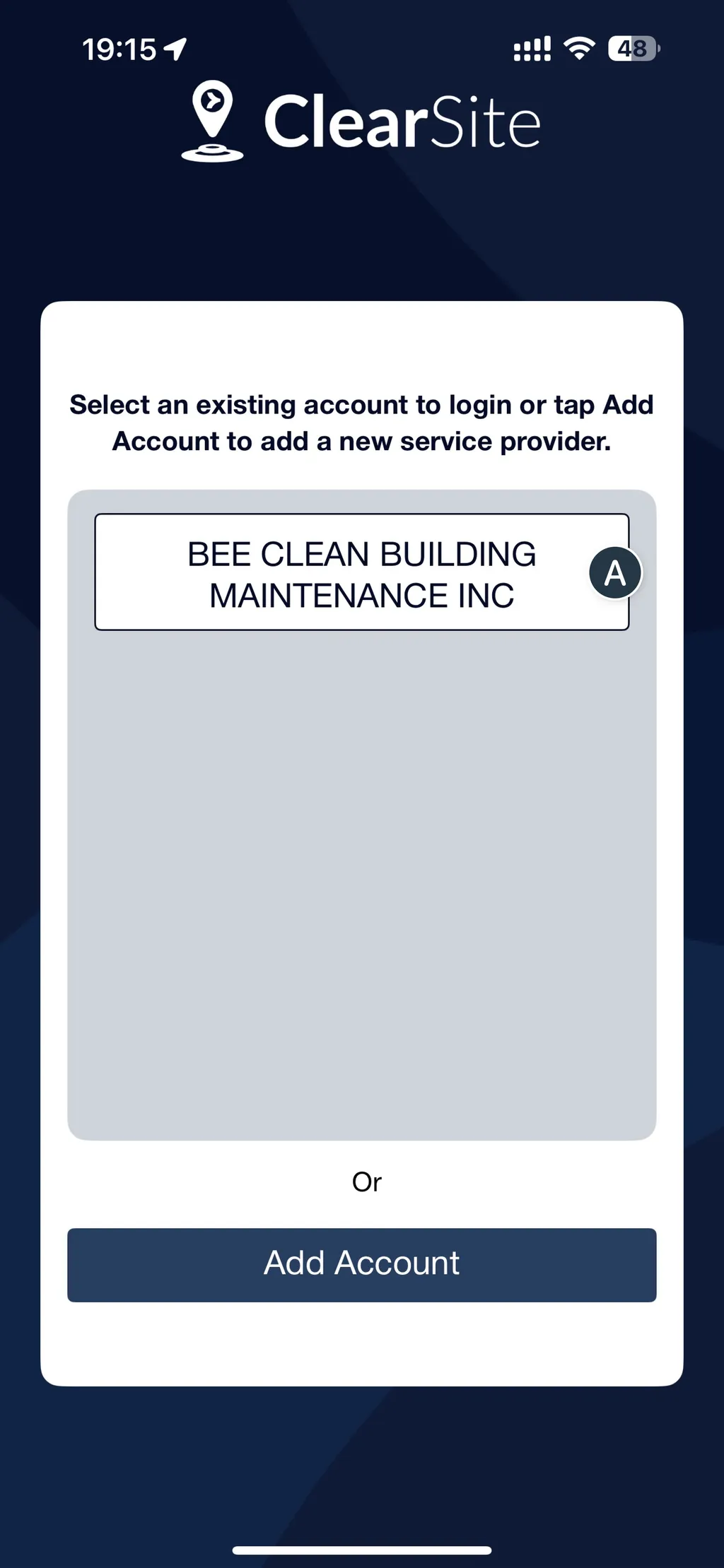
This API validates a Service Provider Number and Service Provider Key submitted by the user, usually through a form in the UI. It checks whether the combination exists and is valid in the system.
This is typically one of the first steps before allowing a user to proceed on registering and access app-specific functionality.
Call this API after the user submits their Service Provider credentials in the UI. You can use the result to determine whether to proceed or show an error message.
No authentication required. This endpoint is accessible publicly to support user onboarding and login flows.
Method: POST
URL: /user/add-account
| Parameter | Required | Data Type | Description |
|---|---|---|---|
ServiceProviderNumber |
true | integer | Service Provider number provided by the user. |
ServiceProviderKey |
true | string | Service Provider security key provided by the user. |
Verifying the OTP
Curl
curl -X POST "https://uat.csdpi.protovate.com/api/user/register" \
  -H "Content-Type: application/json" \
  -d '{
    "VerificationCode": "123456",
    "tzOffset": -240
  }'
Request Payload
{
  "VerificationCode": "123456",
  "tzOffset": -240
}
Responses
🟢 200 - Returns Device Token
{
  "status": 200,
  "message": "Registered a new user",
  "data": {
    "DeviceSessionToken": "xxx"
  }
}
🔴 400 - Bad Request
{
  "status": 400,
  "message": "Invalid Verification Code",
  "name": "HTTP_ERROR"
}
Description
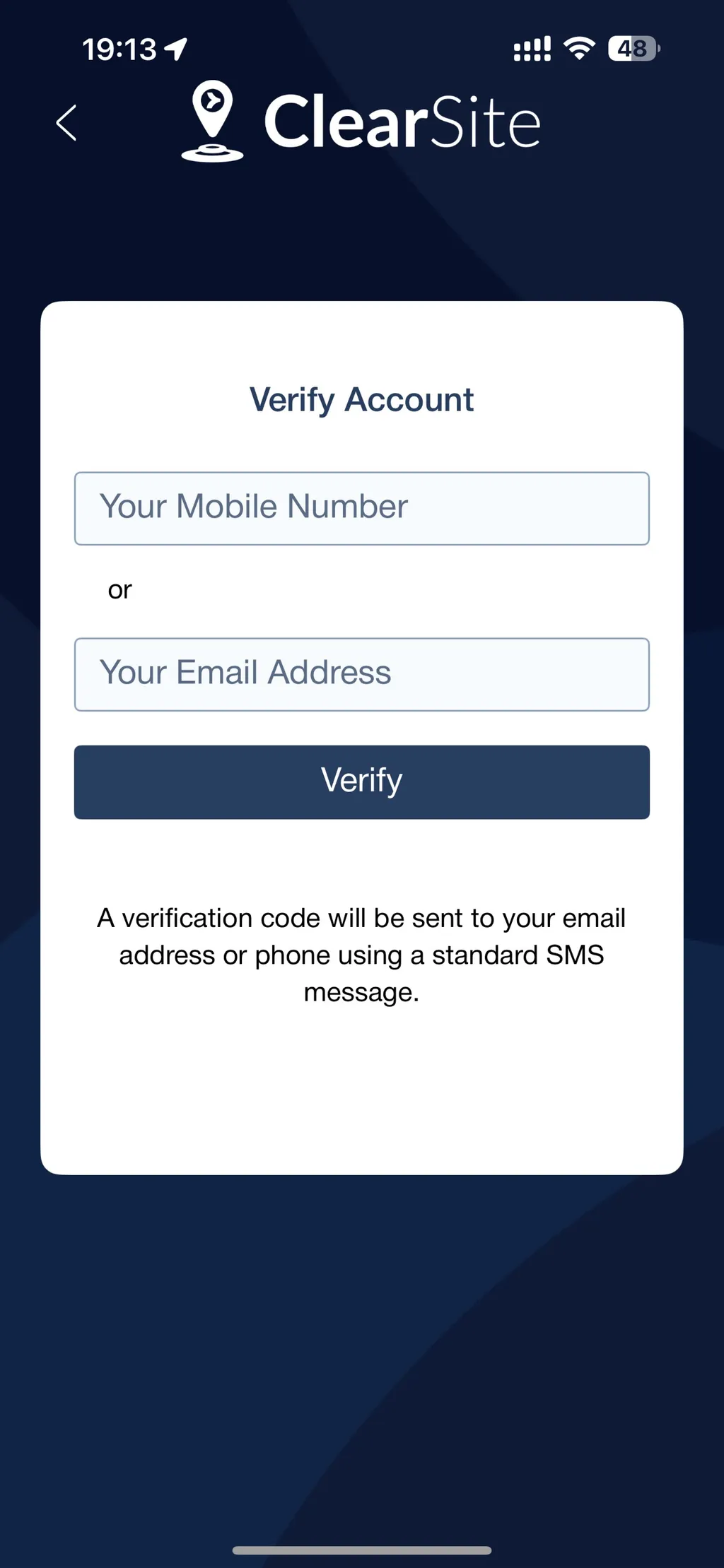
This API registers a user by collecting their details and preferred authentication method. Based on the method selected, a One-Time Password (OTP) is sent to either their mobile number (SMS) or email address to begin verification.
Use this API after validating the service provider and once the user has filled in their username and contact information. This is the first step in account creation or login.
No authentication required. This is a public endpoint to support onboarding.
Method: POST
URL: /user/register
Description
Request Payload
| Parameter | Required | Data Type | Description |
|---|---|---|---|
VerificationCode |
true | string | Verification code sent to the user via SMS or email. |
tzOffset |
true | integer |
Register a User
Curl
curl -X 'POST' \
  'https://uat.csdpi.protovate.com/api/user/verify-account' \
  -H 'accept: application/json' \
  -H 'Content-Type: application/json' \
  -d '{
  "UserName": "Test",
  "ServiceProviderNumber": "123456",
  "ServiceProviderKey": "abc123",
  "AuthMethod": 1,
  "Phone": "+11987654321",
  "DeviceId": "emulator123",
  "DeviceType": "tablet",
  "DeviceOS": "android",
  "DeviceName": "emulator",
  "AppVersion": "1.1.1",
  "Language": "en"
}
Request Payload
{
  "UserName": "Sebastian",
  "ServiceProviderNumber": "128816",
  "ServiceProviderKey": "9672769984",
  "AuthMethod": 1,
  "Phone": "+13261235432",
  "DeviceId": "emulator123",
  "DeviceType": "tablet",
  "DeviceOS": "android",
  "DeviceName": "emulator",
  "Language": "en",
  "AppVersion": "1.1.1"
}
Responses
🟢 200 - Returns Valid Provider Status
{
  "status": 200,
  "message": "Sent verification code."
}
🔴 500 - Error: Internal Server Error
{
  "status": 500,
  "message": "Could not send verification code to Phone => AxiosError: Request failed with status code 403",
  "name": "HTTP_ERROR"

}
🔴 400 - Bad Request
{
  "status": 400,
  "message": "Invalid Verification Code",
  "name": "HTTP_ERROR"
}
Description
This API registers a user by collecting their details and preferred authentication method. Based on the method selected, a One-Time Password (OTP) is sent to either their mobile number (SMS) or email address to begin verification. Use this endpoint after the user enters the verification code sent to their email or mobile number.
Use this API after validating the service provider and once the user has filled in their username and contact information. This is the first step in account creation or login.
No authentication required. This is a public endpoint to support onboarding.
Important Note
Keep a local copy of ServiceProviderNumber and ServiceProviderKey as this may be required by other APIs.
Method: POST
URL: /user/verify-account
Request Payload
| Parameter | Required | Data Type | Description |
|---|---|---|---|
UserName |
true | string | User’s preferred name |
ServiceProviderNumber |
true | string | Service Provider Number |
ServiceProviderKey |
true | string | Service Provider Key |
AuthMethod |
true | integer | mobile = 1; email = 2 |
Phone |
true; if AuthMethod = 1 |
string | Phone number to send the SMS verification code |
Email |
true; if AuthMethod = 2 |
string | Email address to send the verification code |
DeviceId |
false | string | |
DeviceType |
false | string | |
DeviceOS |
false | string | |
DeviceName |
false | string | |
Language |
true | string | |
AppVersion |
true | string | APP version number. If its an API user, specify app version as "API USER" |
Login
Curl
curl -X POST 'https://uat.csdpi.protovate.com/api/user/login' \
  -H 'Content-Type: application/json' \
  -d '{
    "DeviceSessionToken": "xxxxxxxxxxxxxx",
    "tzOffset": -240
  }'
Request Payload
{
  "DeviceSessionToken": "xxxxxxxxxxxxxx",
  "tzOffset": -240
}
{
  let timeZoneOffset = TimeZone.current.secondsFromGMT()
  let minutesOffset = timeZoneOffset/60
}
Responses
🟢 200 - Returns JWT Token
{
  "status": 200,
  "message": "OK",
  "data": {
    "SessionToken": "xxx",
    "VendorId": "123",
    "ServiceProviderName": "VENTILEX",
    "ServiceProviderId": 189
  }
}
🔴 401 - Error: Unauthorised
{
  "status": 401,
  "message": "Invalid Device SessionToken",
  "name": "AUTH_ERROR"
}
Description
This API finalizes the login process by exchanging the previously issued Session Token for JWT Token. The JWT token represents the authenticated user and is required for all future access to protected endpoints.
Use this after a successful OTP verification. The client should already have a valid Session Token stored at this point. This API requires a valid Session Token in the request body.
Method: POST
URL: /user/login
Request Payload
| Parameter | Required | Data Type | Description |
|---|---|---|---|
DeviceSessionToken |
true | string | Authorisation token obtained from account verification process. |
tzOffset |
integer | Timezone |
Request Response Object
| Parameter | Data Type | Description |
|---|---|---|
SessionToken |
string | JWT token obtained from account login. |
VendorId |
string | Vendor ID. |
ServiceProviderName |
string | Service Provider name. |
ServiceProviderId |
integer | Service Provider ID. |
Save the SessionToken securely in the client (e.g. localStorage, secure storage). This token should be included in the Authentication header for protected endpoints.
Buildings List
Curl
curl -X 'GET' \
  'https://uat.csdpi.protovate.com/api/building/v2?serviceProviderId=25189' \
  -H 'accept: application/json'
Responses
🟢 200 - Returns Buildings
{
  "status": 200,
  "message": "OK",
  "name": "SUCCESS_RESPONSE",
  "data": [
    {
      "BUILDING_ID": "VYVWAB06",
      "BUILDING_NAME": "VALLEYVIEW CO",
      "ADDRESS": "4805 - 50 AVENUE",
      "CITY": "Valleyview",
      "LATITUDE": 55.069030999999995,
      "LONGITUDE": -117.277858,
      "SRVCPROVIDER_ID": 189,
      "SRVCPROVIDER_CLASS": "VENDOR",
      "CLIENT_NAME": "BMO",
      "RESPONSE_LEVEL": 1,
      "SERVICES": [
        {
          "ISCHECKINPICMANDATORY": false,
          "ISCHECKOUTPICMANDATORY": false,
          "SERVICECATEGORY": "Exterior Cleaning",
          "SERVICENAME": "Exterior Cleaning",
          "SERVICE_ID": 431412465,
          "SERVICE_CATEGORY_ID": 431412362
        }
      ]
    }
  ]
}
🔴 401 - Error: Unauthorised
{
  "status": 401,
  "message": "Unauthorized",
  "name": "AUTH_ERROR"
}
Description
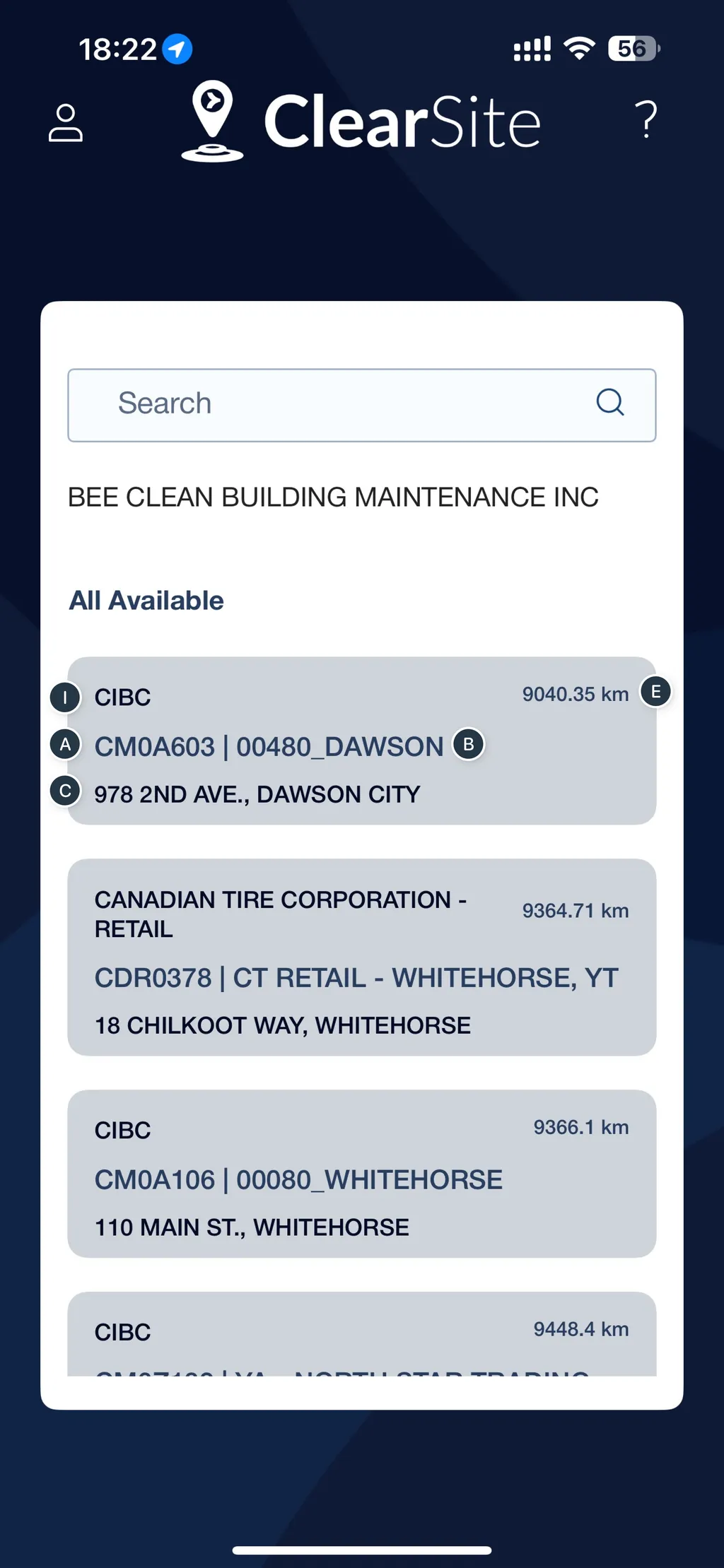
This API retrieves the complete list of buildings associated with a given Service Provider ID. It requires authentication via a JWT token, obtained from Login API.
Use this API after logging in to populate building selections or initialize building-specific data in your application.
This API requires a ServiceProviderNumber that is supplied by the user during registration. See 📄 Register a User for more information.
Important Note on Data Volume
This API returns all buildings in one response, which may include hundreds of records depending on the service provider.
Recommended Approach
- Call this API once after login.
- Store/cache the response locally (e.g., in localStorage, IndexedDB, etc.).
- Avoid repeated calls unless a manual refresh is required by the user.
This improves performance and minimizes unnecessary API traffic.
Method: GET
URL: /building/v2
Request Parameters
| Parameter | Required | Data Type | Description |
|---|---|---|---|
servicerProviderId |
true | array[string] | Service Provider Number |
lastModified |
false | string | Date last modified |
Headers
authorization: JWT Token
See 📄 Login for more information.
Building Response Object
Building Data Fields
| Parameter | Data Type | Description |
|---|---|---|
BUILDING_ID |
string | Unique identifier for the building. Example: GOC00907 |
BUILDING_NAME |
string | Official name of the building. Example: ASTICOU CENTRE - BLOCK 1200 |
ADDRESS |
string | Street address of the building. Example: 241 CITÉ-DES-JEUNES BLVD |
CITY |
string | City where the building is located. Example: GATINEAU |
LATITUDE |
number | Geographic coordinate (north-south position). |
LONGITUDE |
number | Geographic coordinate (east-west position). |
SRVCPROVIDER_ID |
number | ID of the service provider responsible for the building. |
SRVCPROVIDER_CLASS |
string | Classification of the service provider (e.g., VENDOR, INTERNAL). |
CLIENT_NAME |
string | Name of the client or organization responsible for the building. |
RESPONSE_LEVEL |
number | Numeric indicator of response or priority level. |
SERVICES |
array[Object] | List of services assigned to the building (each with detailed info). |
Each object inside SERVICES contains:
| Field Name | Data Type | Description |
|---|---|---|
ISCHECKINPICMANDATORY |
boolean | Whether a check-in photo is mandatory for the service (true = mandatory, false = optional). |
ISCHECKOUTPICMANDATORY |
boolean | Whether a check-out photo is mandatory for the service. |
SERVICECATEGORY |
string | The category under which the service falls. Example: "Cleaning" |
SERVICENAME |
string | The specific name of the service. Example: "Landscaping" |
SERVICE_ID |
number | Unique ID of the service. |
SERVICE_CATEGORY_ID |
number | ID representing the broader category of the service (for grouping purposes). |
Service Category
Curl
curl -X 'GET' \
  'https://uat.csdpi.protovate.com/api/service-category?lang=en&SERVICE_ID=431412465&CATEGORY_ID=431412362' \
  -H 'accept: application/json' \
  -H 'authorization: eyJhbGciOiJIUzI1NiIsInR5cCI6IkpXVCJ9.eyJ1c2VySWQiOiI2ODUzZGU5OGE3NTliMzBkYzcxNmM4YTQiLCJpYXQiOjE3NTAzMjcwNDh9.57A_KP7G2TBMa2exx5vBEHfInvzxBy-oCv5Wj3UyjEw'
Responses
🟢 200 - Returns Service Categories
{
  "response": [
    {
      "id": "61664cdffb3e571dcaf41649",
      "CATEGORY_ID": 431412362,
      "SERVICE_ID": 431412465,
      "LANG": {
        "en": {
          "SERVICE_NAME": "Exterior Cleaning",
          "CATEGORY_NAME": "Cleaning"
        },
        "fr": {
          "SERVICE_NAME": "Nettoyage extérieur",
          "CATEGORY_NAME": "Nettoyage"
        },
        "es": {
          "SERVICE_NAME": "Limpieza exterior",
          "CATEGORY_NAME": "Limpieza"
        },
        "tl": {
          "SERVICE_NAME": "Panlinis na Panlabas",
          "CATEGORY_NAME": "Paglilinis"
        },
        "pa": {
          "SERVICE_NAME": "ਬਾਹਰੀ ਸਫਾਈ",
          "CATEGORY_NAME": "ਸਫਾਈ"
        },
        "hi": {
          "SERVICE_NAME": "बाहरी सफाई",
          "CATEGORY_NAME": "सफाई"
        },
        "pt": {
          "SERVICE_NAME": "Limpeza Exterior",
          "CATEGORY_NAME": "Limpeza"
        }
      },
      "DISPLAY_ORDER": 0,
      "createdAt": "2021-10-13T03:04:57.962Z",
      "updatedAt": "2021-10-13T03:04:57.962Z"
    }
  ]
}
🔴 401 - Error: Unauthorised
{
  "status": 401,
  "message": "Unauthorized",
  "name": "AUTH_ERROR"
}
Description
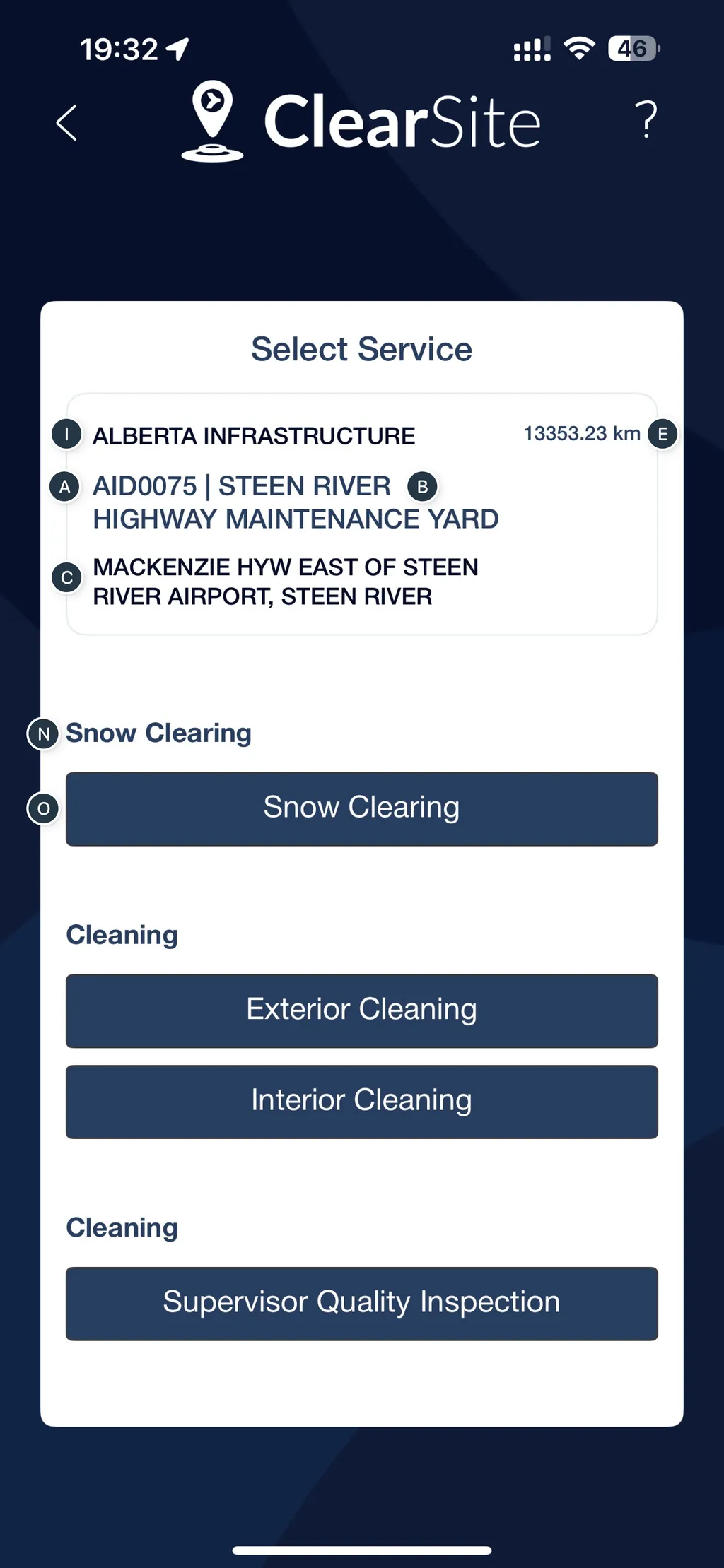
This API fetches localized translations for a given Service Category, based on the combination of a Service ID and a Category ID.
Service categories are maintained in an external system, so translations are retrieved separately to ensure the UI can display the correct language labels.
Call this API when displaying or selecting service categories in a multi-language interface, especially when initializing service forms or lists.
A valid JWT Token in the Authorization header is required to make a request.
Method: GET
URL: /service-category
Request parameters
| Parameter | Required | Data Type | Description |
|---|---|---|---|
lang |
false | string | Language code. Available values: en, es, pt, tl, hi, pa, fr |
SERVICE_ID |
false | number | |
CATEGORY_ID |
false | number |
Headers
authorization: JWT Token
See 📄 Login for more information.
Check In / Check Out
Curl
curl -X 'POST' \
  'https://uat.csdpi.protovate.com/api/location-event/new' \
  -H 'accept: application/json' \
  -H 'Content-Type: application/json' \
  -d '{
  "data": {
    "jobId": "613184a1b5f974005bef2e29",
    "actionType": 2,
    "building": "613184a1b5f974005bef2e29",
    "serviceCategory": {
      "id": "613184a1b5f974005bef2e29",
      "categoryType": "Exterior Cleaning",
      "categoryName": "Supervisor Quality Inspection"
    },
    "vendor": "613184a1b5f974005bef2e2b",
    "completeType": 1,
    "checkIn": {
      "userLatitude": 52.87408,
      "userLongitude": 52.87408,
      "note": [
        {
          "text": "OK"
        }
      ],
      "photos": [
        "613184a1b5f974005bef2e2b",
        "613184a1b5f974005bef2e2c"
      ],
      "submitAt": "2021-09-08T03:28:14.841Z"
    },
    "checkOut": {
      "userLatitude": 52.87408,
      "userLongitude": 52.87408,
      "note": [
        {
          "text": "OK"
        }
      ],
      "photos": [
        "613184a1b5f974005bef2e2b",
        "613184a1b5f974005bef2e2c"
      ],
      "submitAt": "2021-09-08T03:28:14.841Z"
    },
    "tzOffset": -240
  }
}'
Request Payload
{
  "data": {
    "jobId": "613184a1b5f974005bef2e29",
    "actionType": 2,
    "building": "613184a1b5f974005bef2e29",
    "serviceCategory": {
      "id": "613184a1b5f974005bef2e29",
      "categoryType": "Exterior Cleaning",
      "categoryName": "Supervisor Quality Inspection"
    },
    "vendor": "613184a1b5f974005bef2e2b",
    "completeType": 1,
    "checkIn": {
      "userLatitude": 52.87408,
      "userLongitude": 52.87408,
      "note": [
        {
          "text": "OK"
        }
      ],
      "photos": ["613184a1b5f974005bef2e2b", "613184a1b5f974005bef2e2c"],
      "submitAt": "2021-09-08T03:28:14.841Z"
    },
    "checkOut": {
      "userLatitude": 52.87408,
      "userLongitude": 52.87408,
      "note": [
        {
          "text": "OK"
        }
      ],
      "photos": ["613184a1b5f974005bef2e2b", "613184a1b5f974005bef2e2c"],
      "submitAt": "2021-09-08T03:28:14.841Z"
    },
    "tzOffset": -240
  }
}
Responses
🟢 200 - Returns Registered Status
{
  "result": {
    "ok": 1,
    "n": 1,
    "id": "614cb821062a4dd2f4605319"
  }
}
🔴 401 - Error: Unauthorised
{
  "status": 401,
  "message": "Unauthorized",
  "name": "AUTH_ERROR"
}
Description
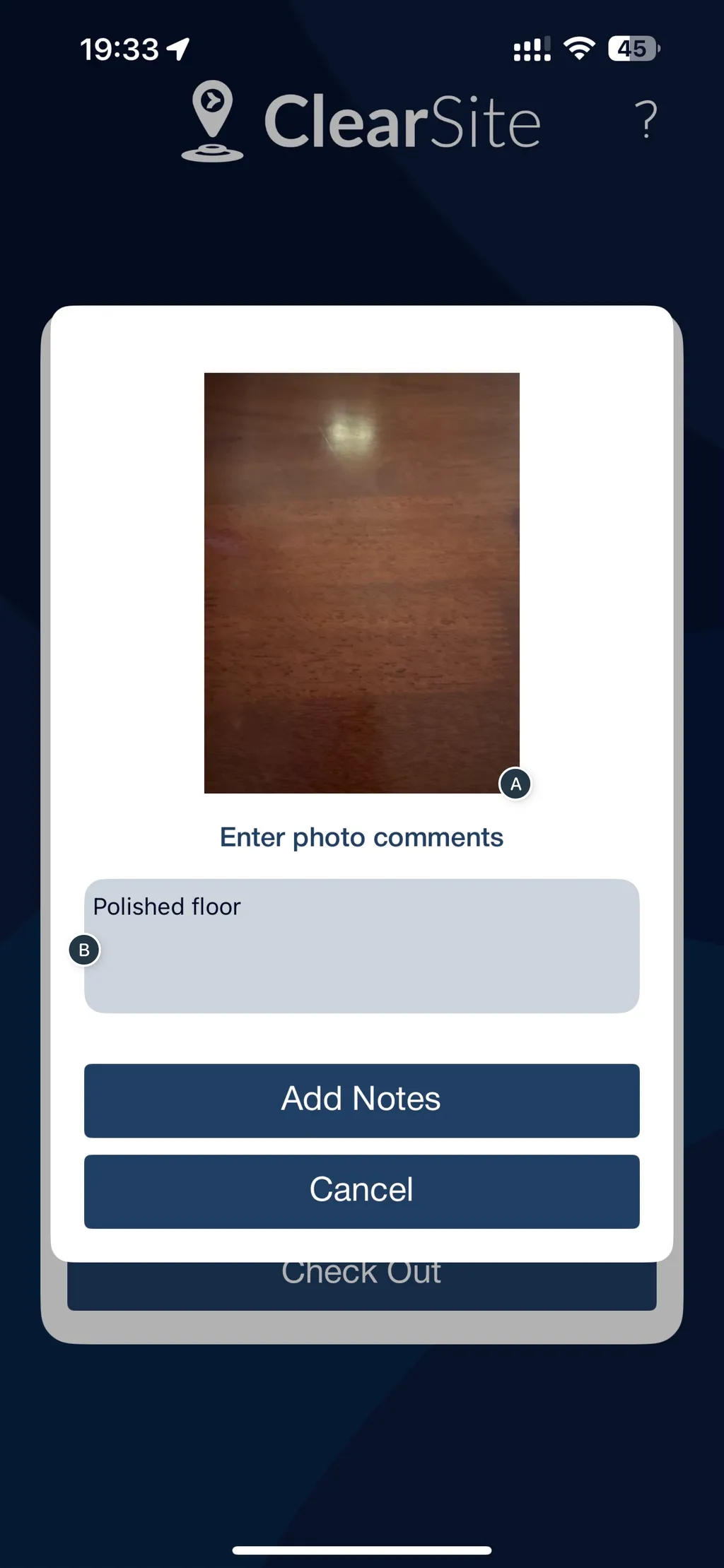
This API is used by technicians to log service visits. It captures both check-in and check-out details, including feedback notes, photos, and other context tied to a specific job and location.
This is critical for documenting the condition of the site before and after the word is performed.
Use this API after the technician completes their service session, and is ready to submit:
- Arrival notes and photos
- Completion notes and photos
A valid JWT token is required to make a request from this API.

Method: POST
URL: /location-event/new
Headers
authorization: JWT Token
See 📄 Login for more information.
Request Payload
Job Action Payload Fields
| Field Name | Required | Data Type | Description |
|---|---|---|---|
jobId |
true | string | Unique identifier of the service job. |
actionType |
true | integer | Type of action (1 = check-in, 2 = check-out, 3 = complete). |
building |
true | string | Building ID where the job was performed. |
serviceCategory |
true | array[Object] | Describes the category of service performed. (See Service Category table) |
vendor |
true | string | ID of the vendor performing the service. |
completeType |
true | integer | Type of completion (e.g., 0 = normal, 1 = forced/auto). |
checkIn |
true | array[Object] | Object containing check-in data (photos, notes, timestamp). (See Check In / Check Out table) |
checkOut |
true | array[Object] | Object containing check-out data (photos, notes, timestamp, location). (See Check In / Check Out table) |
tzOffset |
true | integer | Timezone offset in minutes from UTC (e.g., 330 for IST). |
Service Category object
Provides the ID and name of the service category.
| Field Name | Required | Data Type | Description |
|---|---|---|---|
id |
true | string | ID of the service category. |
categoryType |
true | string | Internal name of the service category. |
categoryName |
true | string | Human-readable name of the service category. |
Check-In object
Contains details captured at the time of check-in.
| Field Name | Required | Data Type | Description |
|---|---|---|---|
note |
true | array[Note] | Optional notes submitted during check-in. Each note contains a text field. (See Note Object table below) |
photos |
true | array[string] | Array of photo IDs taken during check-in. See Photo Upload for more information. |
submitAt |
true | string (ISO 8601) | Date and time of check-in submission. |
Check-Out object
Contains details captured at the time of check-out, including geolocation.
| Field Name | Required | Data Type | Description |
|---|---|---|---|
userLatitude |
true | float | Latitude coordinate of the user/device at check-out. |
userLongitude |
true | float | Longitude coordinate of the user/device at check-out. |
note |
true | array[Object] | Notes submitted during check-out. Each note object contains a text field. |
photos |
true | array[Object] | Array of photo IDs taken during check-out. See Photo Upload for more info. |
submitAt |
true | Date (string) | Date and time of check-out submission. |
Note object
Used in both checkIn.note and checkOut.note as an array of objects.
| Parameter | Required | Data Type | Description |
|---|---|---|---|
text |
true | string | Free-text note added by the user. |
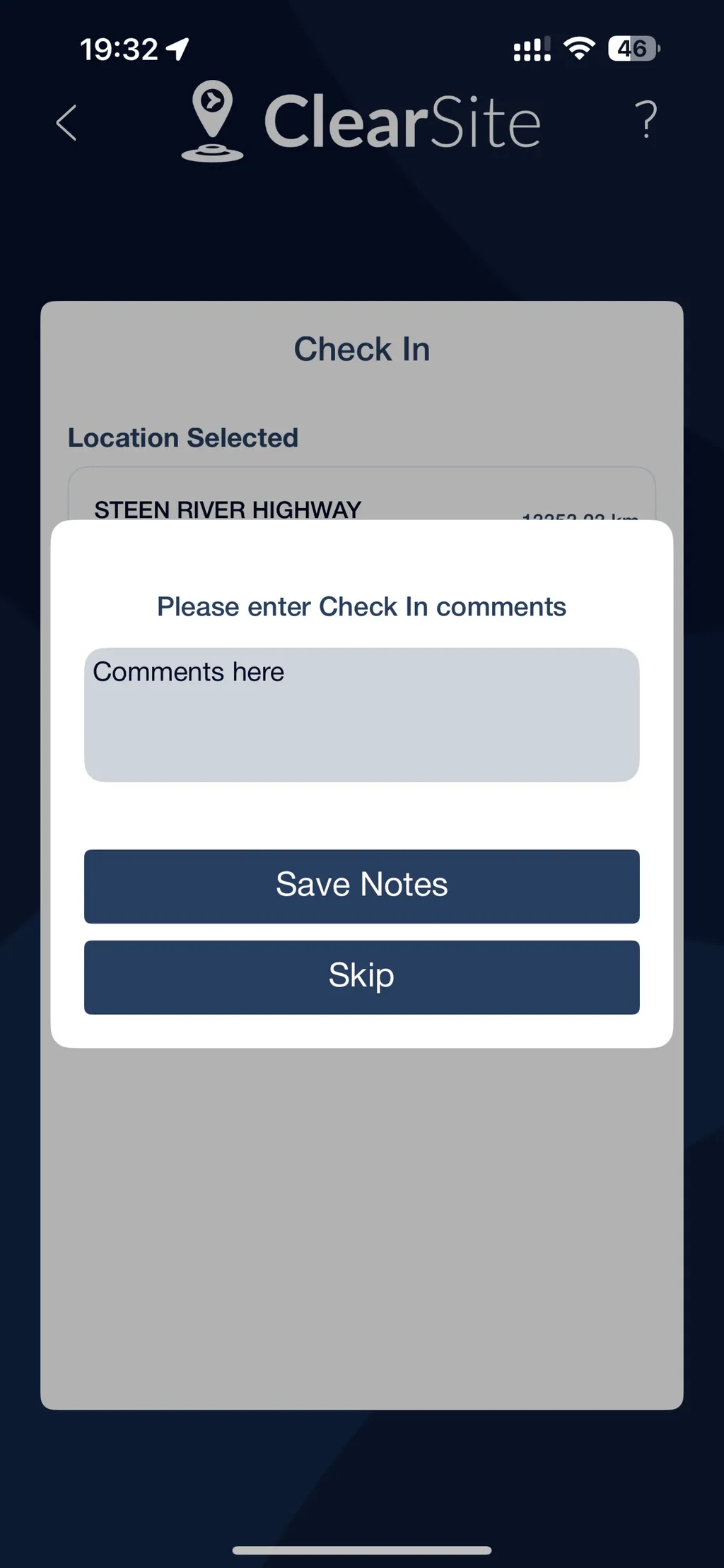
Photo Upload
Curl
curl -X 'POST' \
  'https://uat.csdpi.protovate.com/api/photo/upload' \
  -H 'accept: application/json' \
  -H 'Content-Type: multipart/form-data' \
  -F 'vendorId="123"' \
  -F 'files=@filenameImage.png;type=image/png' \
  -F 'tzOffset=-250' \
  -F 'submitAt=' \
  -F 'note='
Request Payload
{
  "vendorId": "vendor_12345",
  "files": ["file_abc123.jpg", "file_xyz789.pdf"],
  "tzOffset": "+0500",
  "submitAt": "2025-06-17T14:30:00Z",
  "note": "Submitting required documents for review."
}
Responses
🟢 200 - Photos uploaded
[
  {
    "src": "16_09_10_16_09_2021_Screenshot_1.png",
    "id": "6165b3cb44672291dfeafe3c"
  }
]
Description
This endpoint is used to upload one or more photos, along with optional notes and the associated Vendor ID. After a successful upload, it returns a unique ID for each uploaded photo.
Use this API when a user needs to submit photos when documenting site visits, inspection, or logging issues.
This requires a valid JWT Token in the Authorization Header.
Method: POST
URL: /photo/upload
Headers
authorization: JWT Token
See 📄 Login for more information.
Request Payload
| Parameter | Required | Data Type | Description |
|---|---|---|---|
vendorId |
true | string | Vendor identifier |
files |
true | array[string] | List of file identifiers or URLs |
tzOffset |
true | string | Timezone offset from UTC |
submitAt |
false | string | Submission timestamp |
note |
false | string | Optional note or comment |